
Real-Time Messaging Dashboard & Analytics
The VoidFix Gateway messaging dashboard shows every SMS, MMS and WhatsApp message by status (pending, queued, scheduled, delivered or failed) with charts and filters, so you can see what went out and fix what didn't.
- Live in under 5 minutes
- Sends from your own numbers
- No credit card for the trial
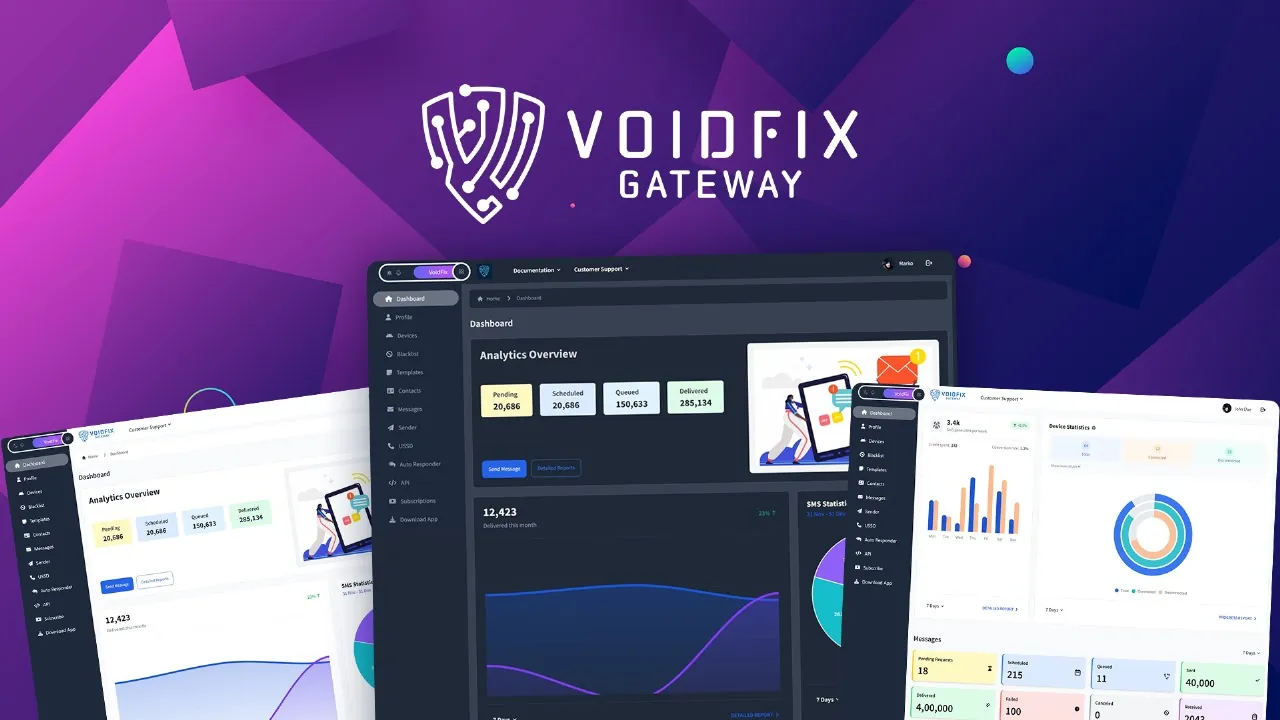
See every message's status on one screen
The VoidFix Gateway Overview Dashboard gives you a live view of your messaging. Pending, queued, scheduled, delivered and failed messages sit side by side, so you always know where a campaign stands.
Graphs and charts show your sending trends at a glance, and filters narrow the view to the messages you care about.
Example: after a bulk campaign, filter by Failed to see which numbers didn't go through, then resend them by message ID or campaign ID. Developers can pull the same statuses through the REST API.
Why use the messaging dashboard?

Real-time tracking
See the status of every message change as it happens.

Trends at a glance
Charts show how your sending and delivery are trending over time.

Failed-message insights
Find failed messages quickly and fix the cause to improve delivery rates.

Easy to find your way
A clear layout and filters mean anyone on your team can find what they need.
How to use the dashboard
Log in
Sign in to your VoidFix Gateway account.
Open the dashboard
View live message stats, charts and reports.
Filter and improve
Use filters to find problems and improve your delivery rates.
What the dashboard tracks
- Message statuses: pending, queued, scheduled, delivered and failed, for SMS, MMS and WhatsApp.
- Charts and filters: sending trends at a glance, and filters that narrow the list to the messages you need.
- Resend: failed messages can be resent by message ID or campaign.
- SIM Tracker: check each connected SIM and device and its status.
- Live updates: delivery results arrive over the socket connection, so you don’t refresh the page.
The same data in the API and GoHighLevel
Developers can read messages by ID, group ID or status and resend failures through the REST API, which is useful for your own reports. If you send from GoHighLevel, customer replies also flow back into your GHL conversations.
Messaging dashboard FAQ
Why does a message show as pending or queued?
Usually the phone that sends it is offline or the VoidFix service isn't running. Bring the phone back online with the service running, then resend anything that failed.
Can I resend failed messages?
Yes. Resend by message ID or by campaign, from the dashboard or with the resend endpoint in the API.
Can I get dashboard data through the API?
Yes. The read-messages endpoint returns messages by ID, group ID or status, so you can pull delivery results into your own reports.
Related VoidFix features
All included on paid plans, in the same dashboard as your numbers.
Advanced socket messaging
A live link to your phone, so sends, delivery reports and replies arrive instantly.
Learn moreLead management
Import leads by CSV, sort them into groups and manage opt-outs.
Learn moreMessage scheduling
Pick a date and time and the message goes out on its own.
Learn moreAPI integration
Send SMS, MMS, WhatsApp and iMessage from your own code with one API key.
Learn moreSee all your messages in one place
Start the 7-day free trial and watch your first campaign's results come in live.